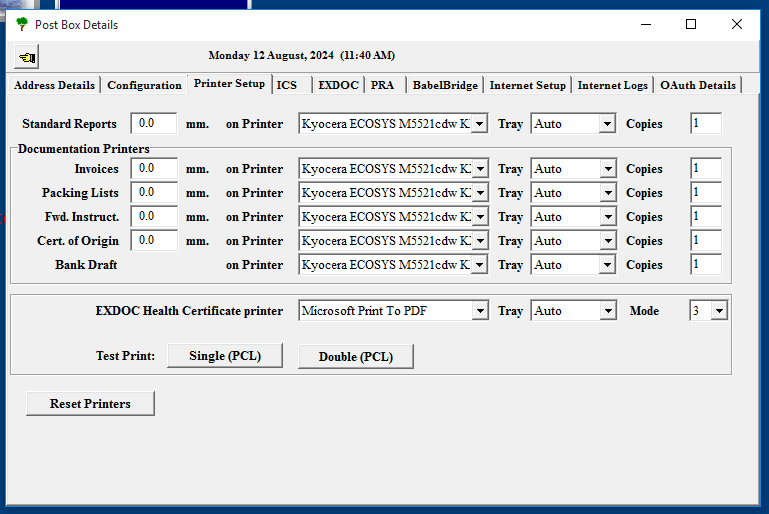
Printing in Edisoft uses your windows printers already installed on your machine. Health Certificates require that you use a PCL6 compatible printer. Even if you have a PCL6 printer you also must ensure that the drive installed uses a PCL6 driver.
If you are having printer issues you can click Reset Printers. This simply removes all your printers and the linked registry keys in order for you to re-configure them. After doing this it's recommended you print a test page if you use health certificates to ensure the test prints correctly.